Major and minor requirements
See what each program needs, what you have done, and what is still open.
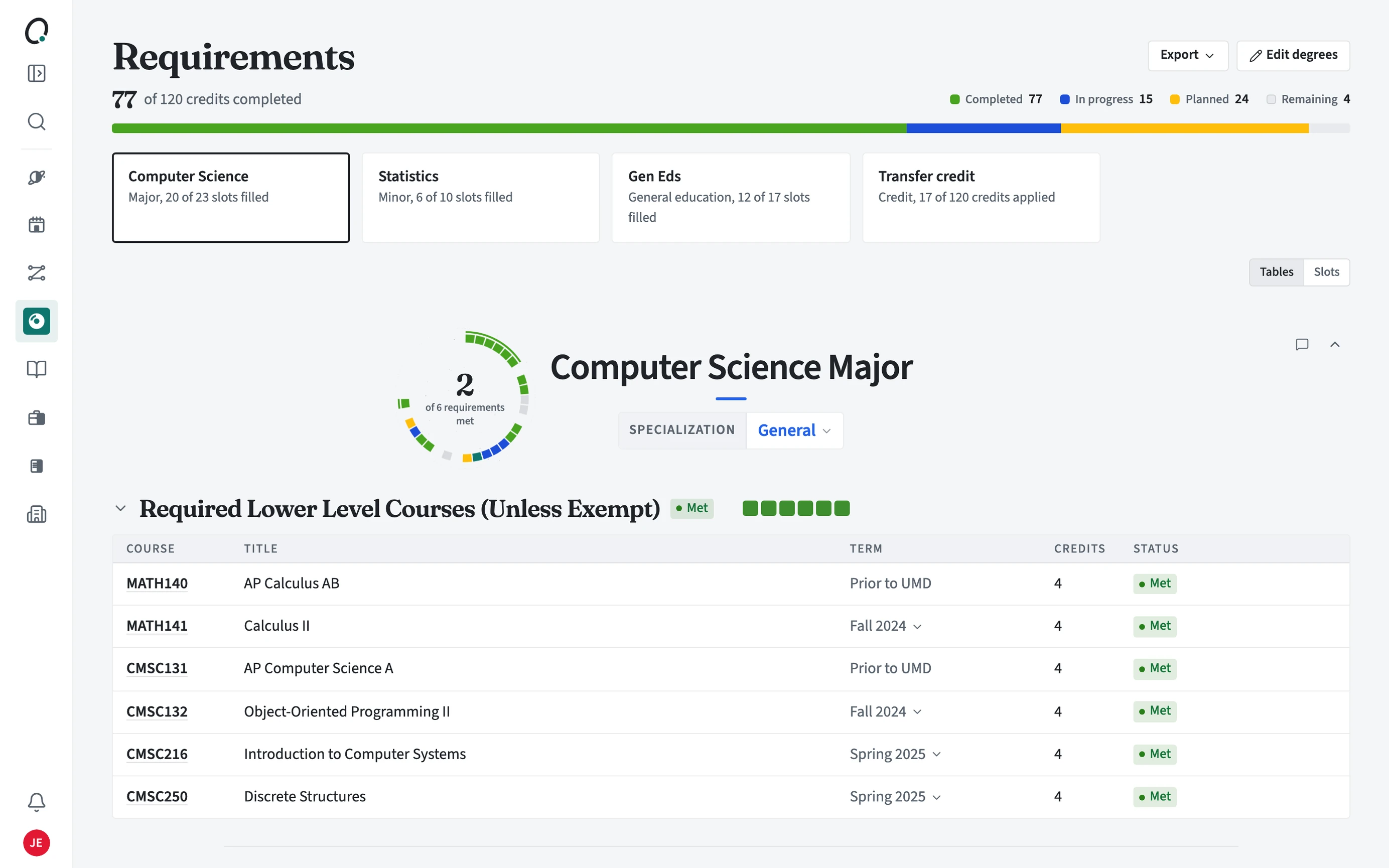
How do I read the top of Requirements?
The bar shows credits completed out of the total your degree needs, split into completed, in progress, planned, and remaining. Below it is a box for each part of your degree (your major and minor, university-wide degree requirements where your school has them, general education, and transfer credit) with how many slots are filled. Open a box to see that program.
How do I check a requirement?
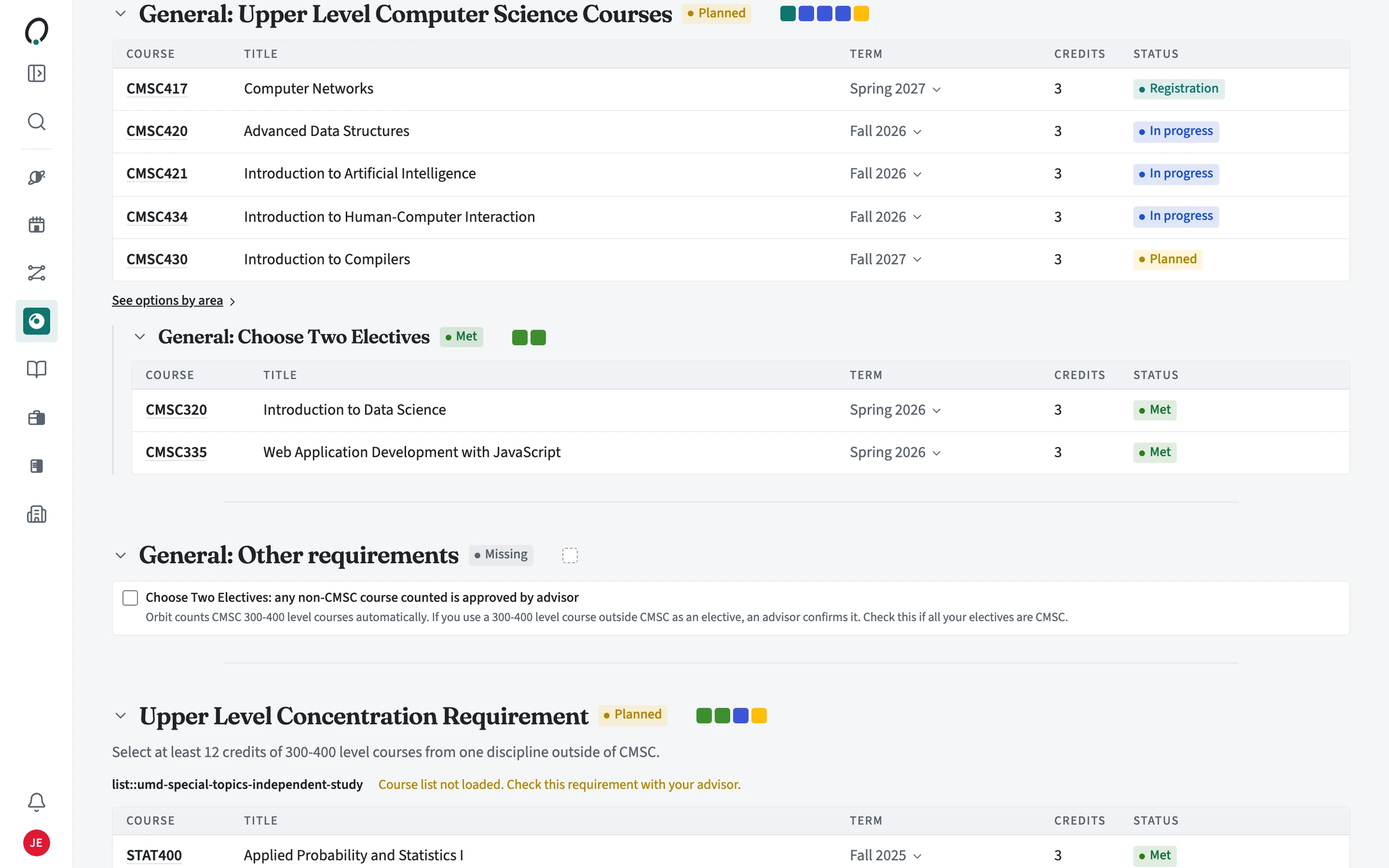
Each program opens with a ring of its requirements, then a table for each requirement listing the courses that fill it, with the term, credits, and status. Switch to Slots to see the same requirements as a board of slots.
- Open Requirements from the sidebar. Major & minor is the first tab.
- Open a program box, or scroll to its tables.
- Read the status on each requirement: Met, In progress, Registration, Planned, or Missing.
- For an open slot, open it (or See options by area) to find a course that fills it.
- Use Edit degrees to add or remove programs, and Export to save a copy.
Which courses count?
Completed courses from your transcript, prior credit, the courses on each term's main schedule, and the courses in your plan for future terms. A course in a draft schedule does not count until that schedule is the main one.
What does Check with advisor mean?
Some requirements, like a writing proficiency rule or an elective an advisor must approve, cannot be confirmed from your course record. Orbit marks them Check with advisor. Bring the requirement to your advisor or share your requirements with them. Once they record it as met, it shows as complete.
- Find the requirement marked Check with advisor.
- Share your requirements with your advisor, or ask at your next meeting.
- Once your advisor records it as met, the requirement moves to Met.
Is this my official degree audit?
No. Requirements follows your school's published program rules to help you plan. Your school's official audit system and your advisor have the final word.