Transfer credit
See how AP, IB, dual enrollment, and other colleges' credit count toward your degree.
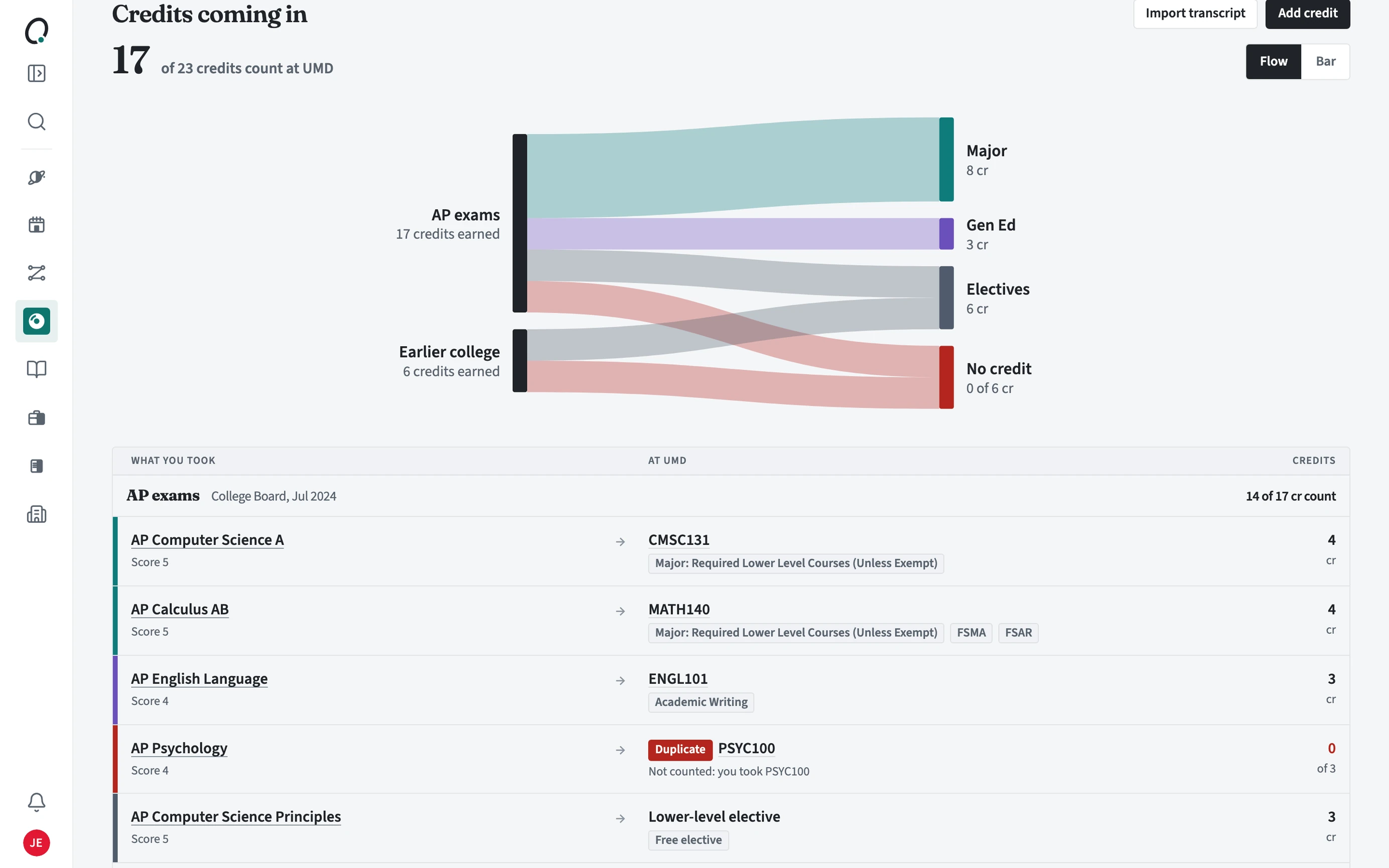
Where is transfer credit?
At most schools it is the Transfer credit tab in Requirements. At schools where many students transfer, Transfer has its own page in the sidebar instead.
How do I read it?
Credits coming in shows how many of your credits count at your school. The chart (Flow or Bar) shows where they go: your major, general education, electives, or no credit. Below it, each row shows what you took, what it became, and its credits.
- Open the Transfer credit box in Requirements.
- Use Import transcript or Add credit to bring credit in.
- Read each row: the course it became and the requirement it fills, or why it does not count.
- Open a row to see where the answer came from.
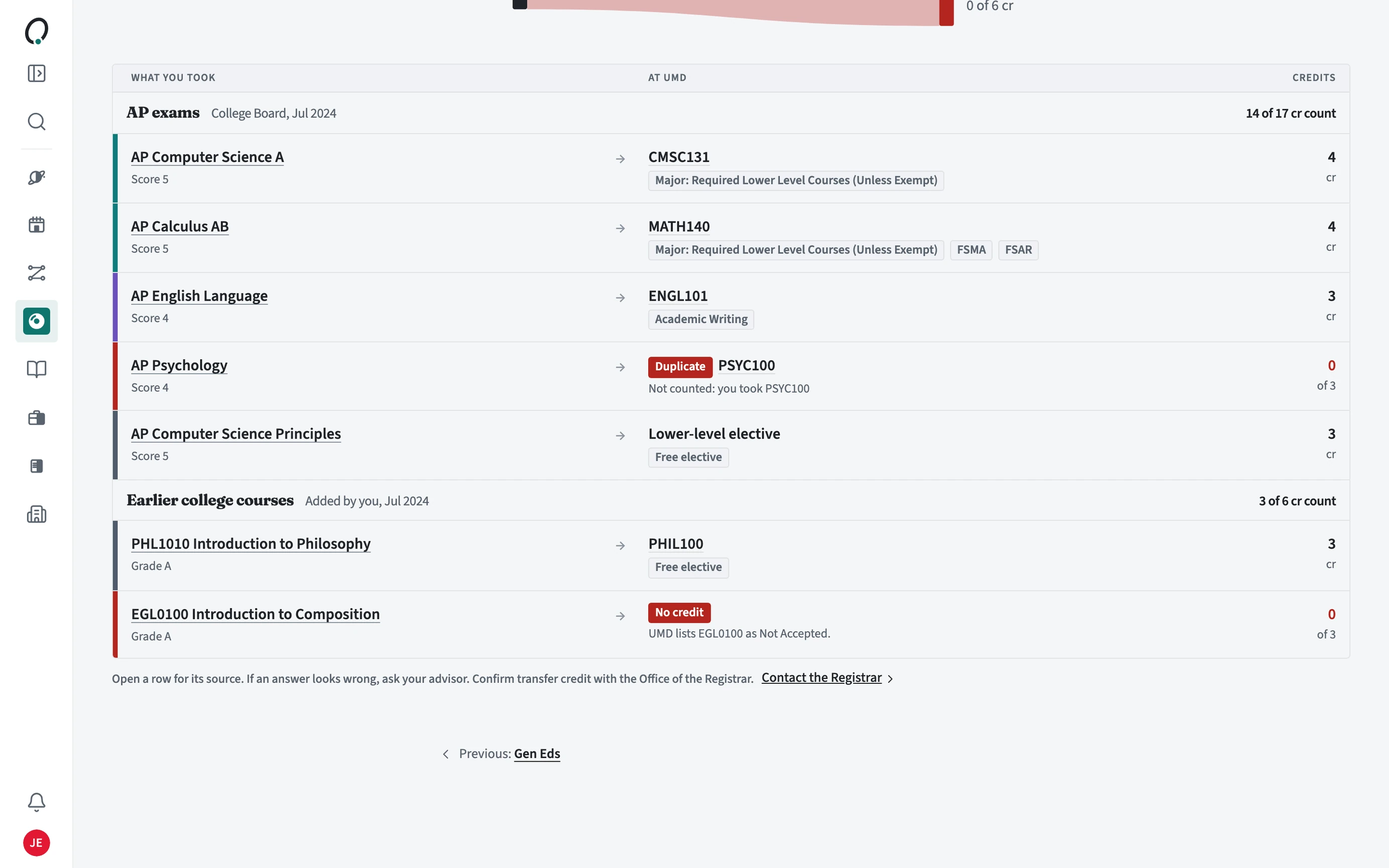
Why does a credit say No credit or Duplicate?
Every credit gets an answer. No credit means your school does not accept it, with the reason (for example Not Accepted in the school's equivalency list). Duplicate means you also took the course it would become, so it counts once.
Is the match official?
No. Orbit uses your school's published equivalencies. If an answer looks wrong, ask your advisor, and confirm transfer credit with your registrar, who decides how it is awarded.