General education
Track your school's general education or core requirements and find courses for open ones.
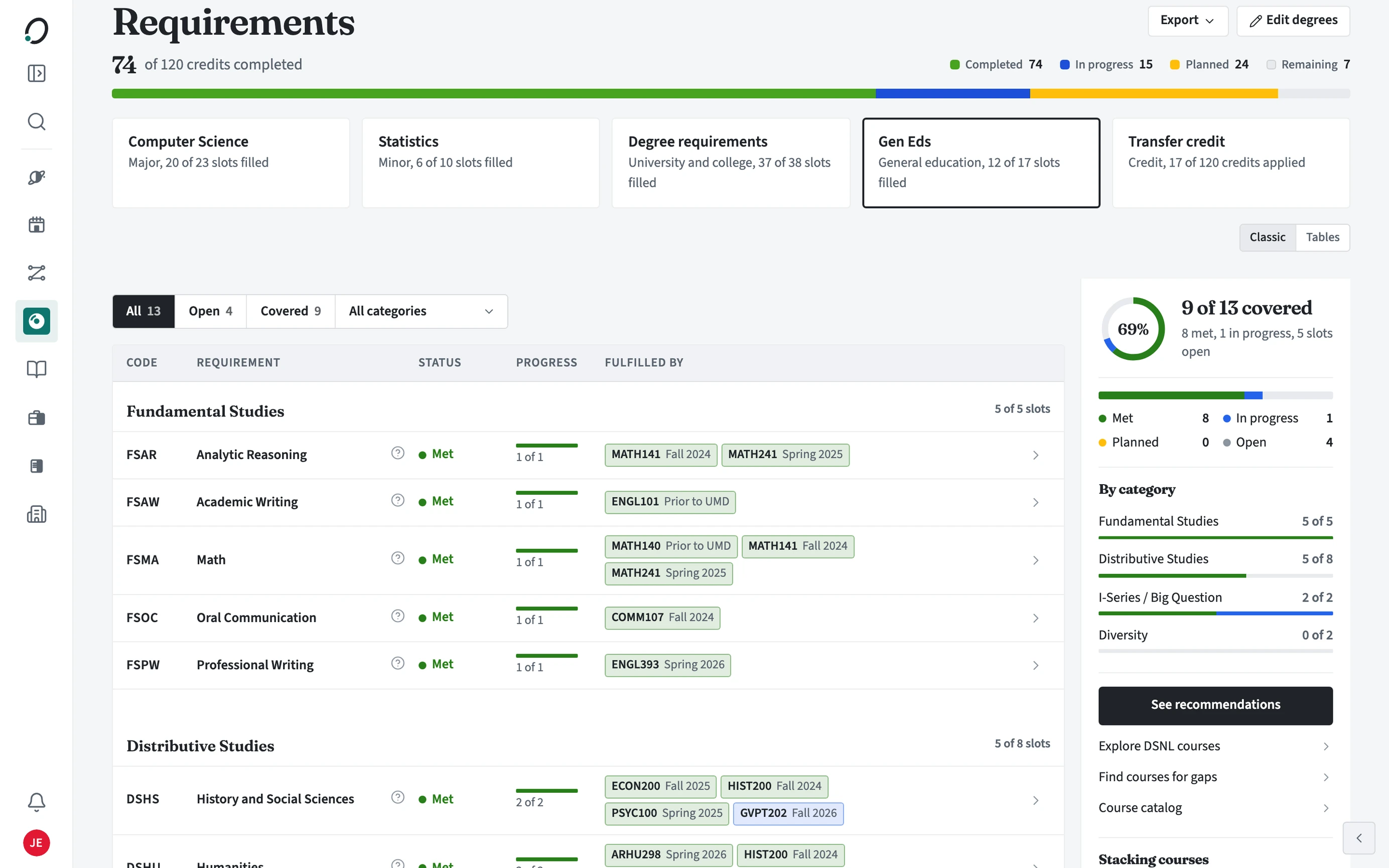
Where are my general education requirements?
Open Requirements and choose the general education box. Its name matches your school: Gen Eds, General Education, or Core Curriculum. Each group (for example Fundamental Studies or Distributive Studies) lists every requirement with its status, progress, and the courses that fill it. The panel beside it sums up how many are covered and how many are still open.
How do I find a course for an open requirement?
Rows still to fill say Nothing yet and have a Find courses button. Stacking courses, in the panel beside the list, lists single courses that close two open requirements at once.
- Open the general education box in Requirements.
- Choose Open to show only the requirements still to fill.
- Choose Find courses on a row.
- Pick a course and add it to a term in your plan.
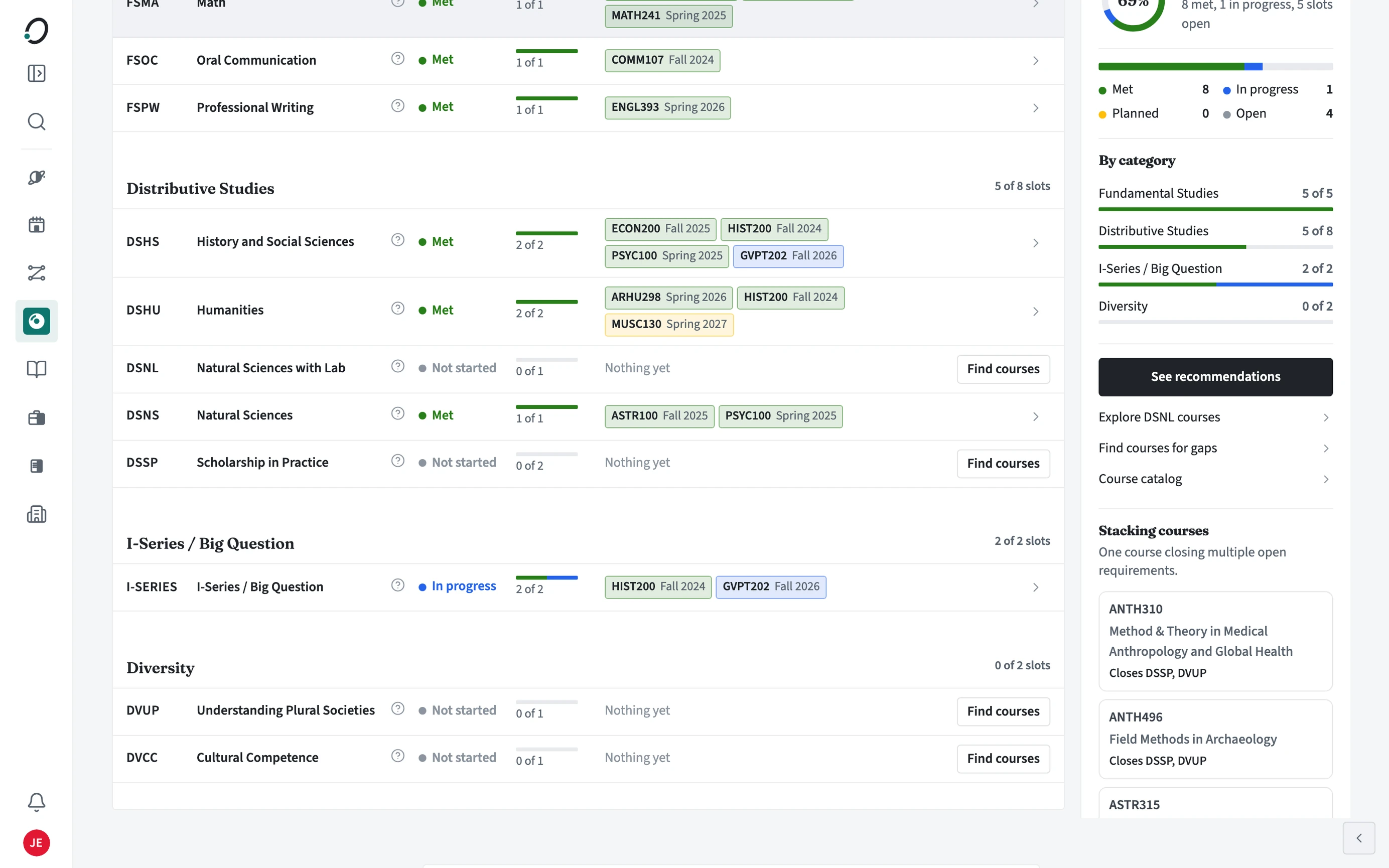
Can one course count twice?
Where your school allows it, yes. A course that fills two categories shows in both.