Year-by-year plan
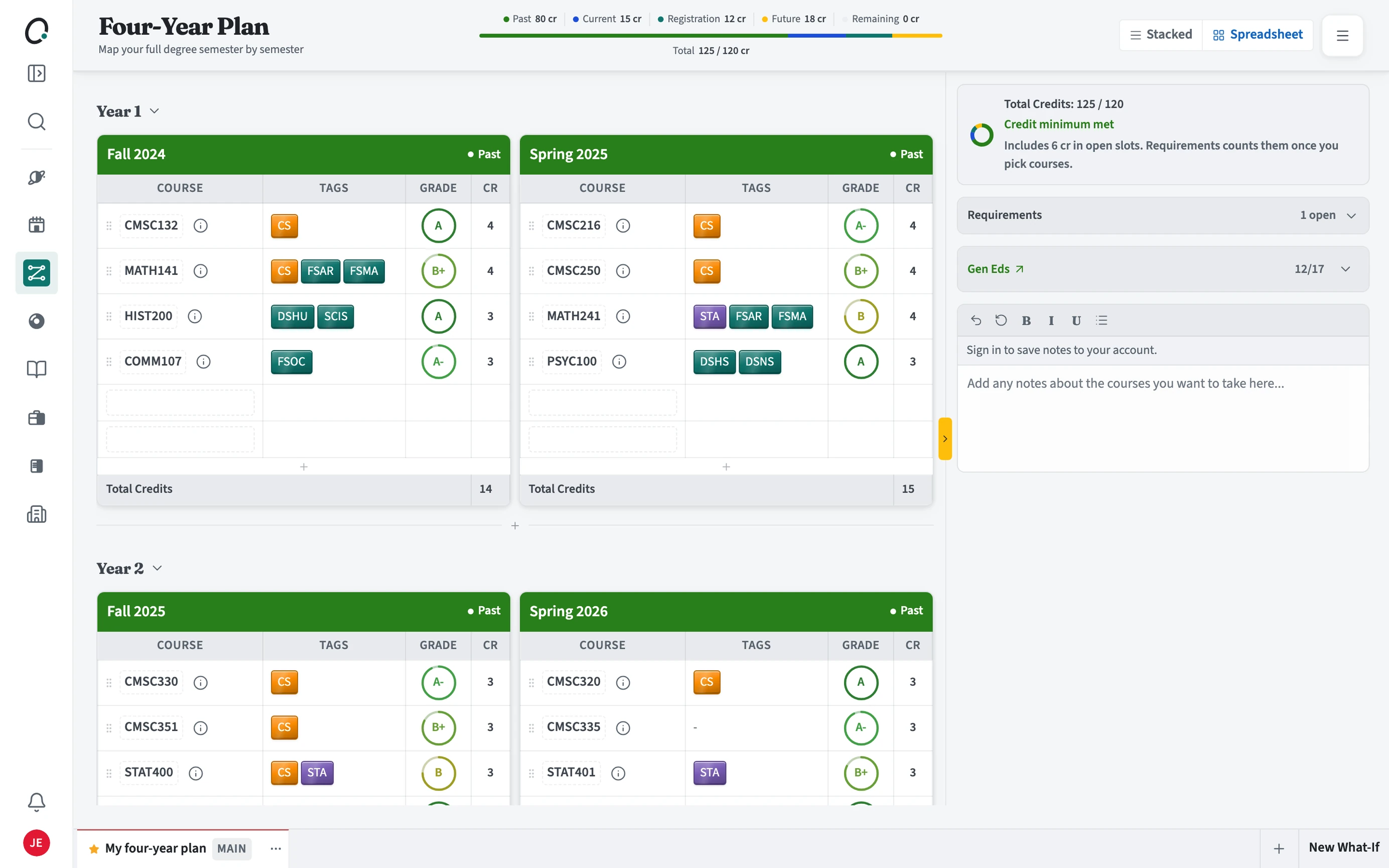
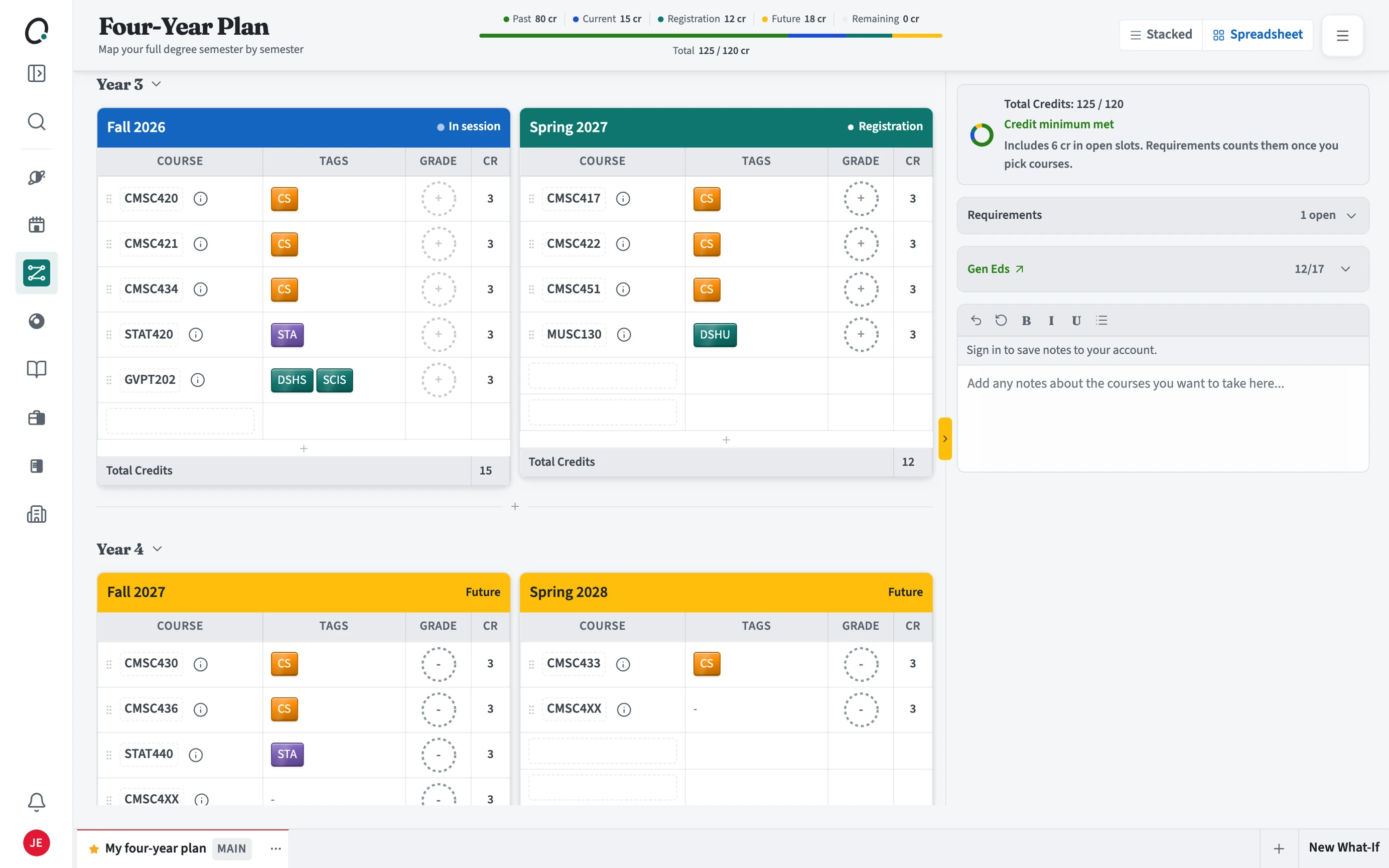
The full grid of terms with grades, requirement tags, and credit totals.
Where is the year plan?
Under Plan in the sidebar. It is named after your program length, so a four-year degree shows Four-year plan and a two-year associate degree shows Two-year plan.
How do I read it?
The bar at the top splits your credits into past, current, registration, future, and remaining. Each term lists its courses with requirement tags, grade, and credits. Prior Credit holds AP, IB, and transfer credit from before you started.
- Switch between Stacked and Spreadsheet views at the top.
- Drag a course onto a term, or press + in a term to add one.
- Check the Requirements and general education panels beside the grid for open slots.
- Use Fill next gaps to place courses that close open requirements.
Can I try a different plan without losing this one?
Yes. Use New What-If to copy your plan and change it freely. Your MAIN plan stays the one Requirements and Overview read.