Inbox and notifications
Seat alerts, registration reminders, messages, and shares in one feed.
Where do notifications go?
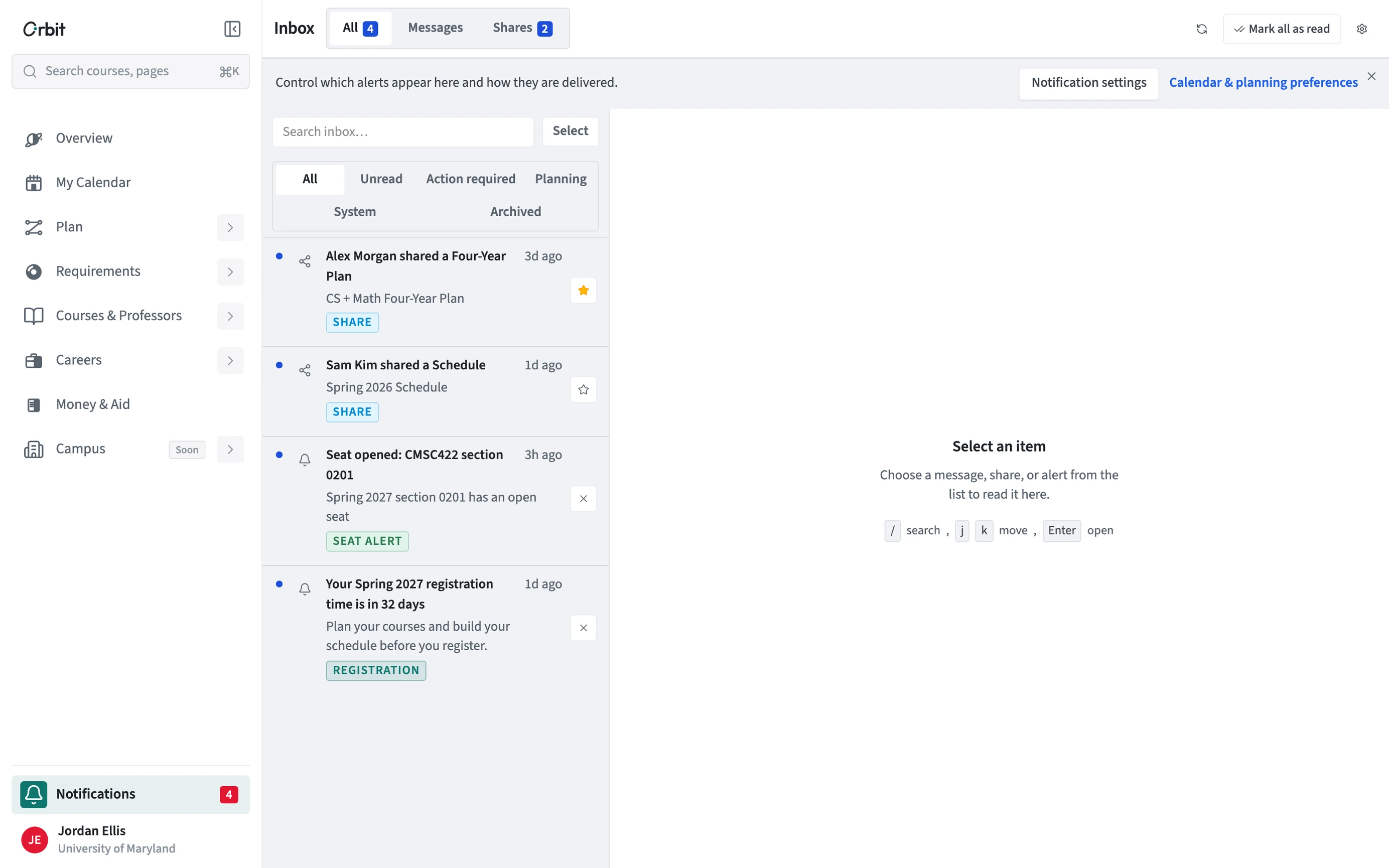
Choose Notifications at the bottom of the sidebar to open your Inbox. All shows everything together; Messages and Shares show just those.
- Open Notifications from the bottom of the sidebar.
- Filter by Unread, Action required, Planning, System, or Archived.
- Open an item to read it in the pane beside the list.
- Use Mark all as read, or select several items to act on them at once.
Can I use the keyboard?
Yes. Press / to search, j and k to move through the list, and Enter to open an item.
How do I choose which alerts I get?
Choose Notification settings at the top of the Inbox, or open Settings > Notifications, to turn alert types on or off and pick how they reach you.